Install
 Features
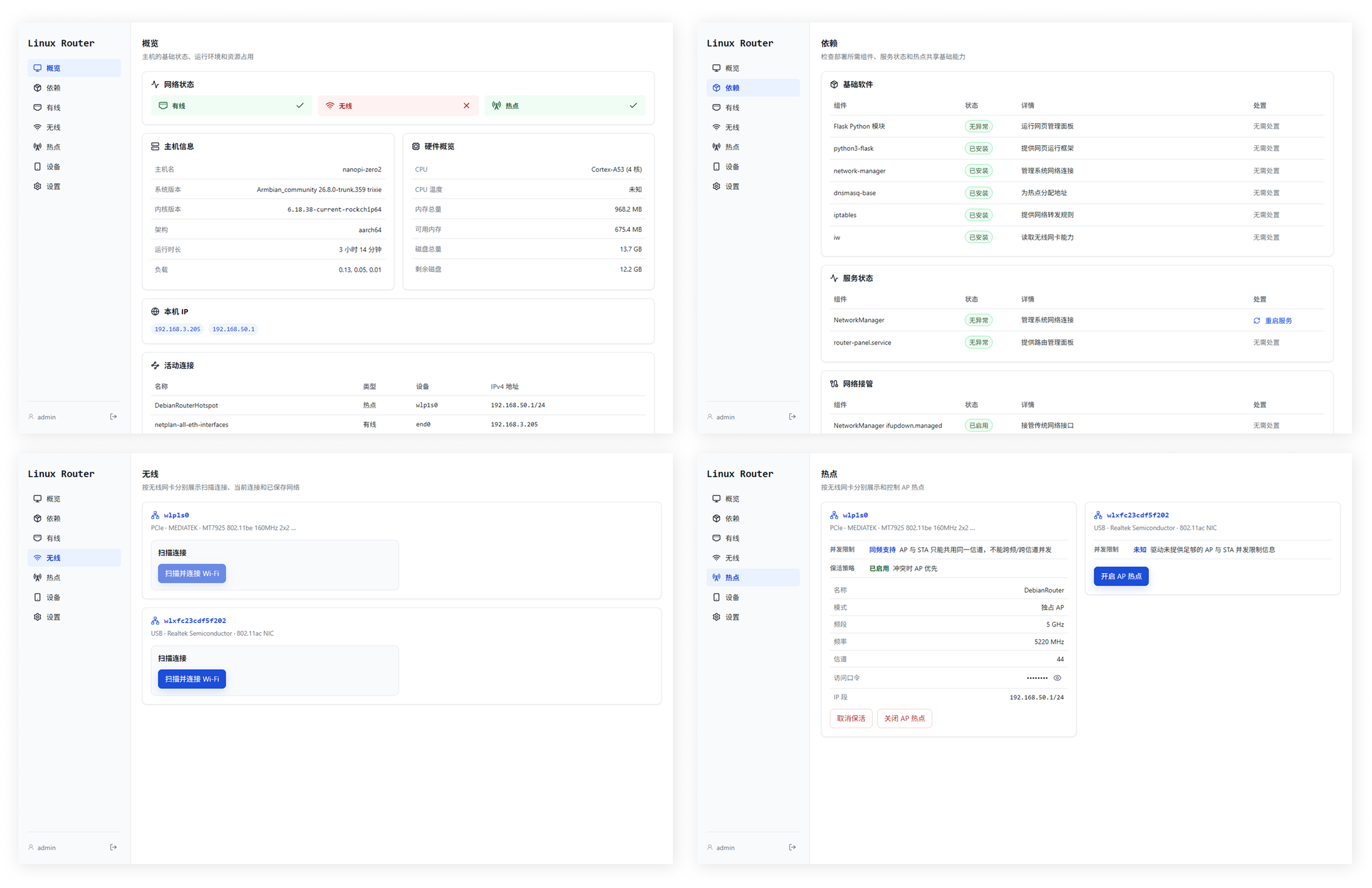
 System overview
Hardware, IP addresses, active connections, storage, memory, and uptime

Linux Router
Turn a Debian or Armbian device into a router, then manage networking, hotspots, and system status from a web console.
View on GitHub
GPL-3.0-or-later
Install
Install
curl -fsSL \
  https://raw.githubusercontent.com/Jaksay/Linux-Router/main/install.sh \
  -o /tmp/linux-router-install.sh
sudo bash /tmp/linux-router-install.sh installUpgrade
sudo bash /tmp/linux-router-install.sh upgrade
Uninstall
sudo bash /tmp/linux-router-install.sh uninstall
Install
curl -fsSL \
  https://raw.githubusercontent.com/Jaksay/Linux-Router/dev/install.sh \
  -o /tmp/linux-router-install.sh
sudo bash /tmp/linux-router-install.sh install --branch devUpgrade
sudo bash /tmp/linux-router-install.sh upgrade --branch dev
Uninstall
sudo bash /tmp/linux-router-install.sh uninstall --branch dev
Features
 Ethernet and Wi-Fi
Scan, connect, disconnect, configure bindings, and forget saved networks
 Hotspot sharing
Dedicated AP, AP+STA mode, clients, DHCP leases, and LAN subnet settings
 Network repair
Check and fix NetworkManager, netplan, IPv4 forwarding, and dependencies
 Hotspot keepalive
Automatically tries to recover a hotspot after unexpected disconnects
 Utilities
Tailscale login, service monitoring, password changes, and device reboot
Interface
 Interface